
Company backups
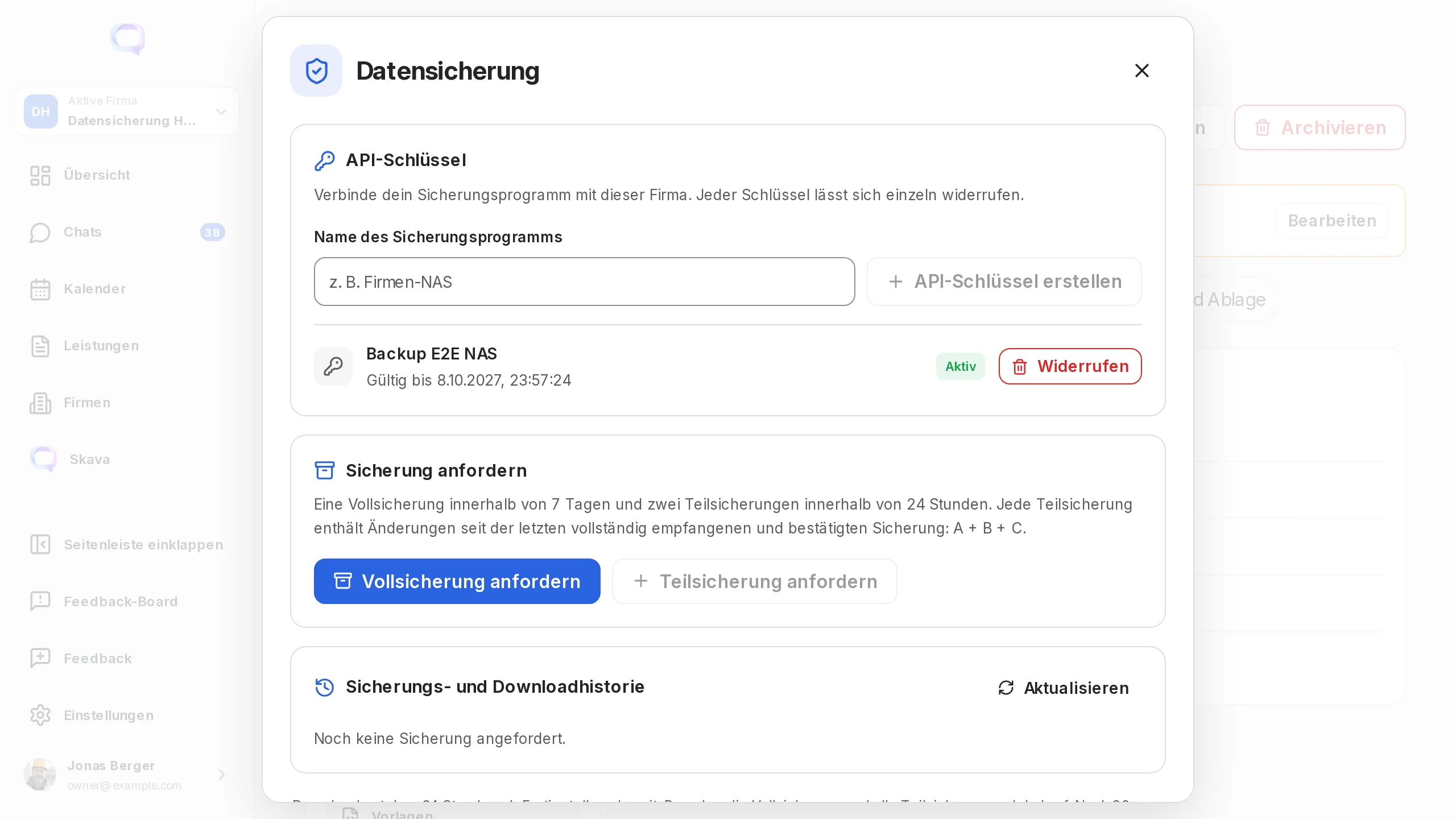
Company admins and owners open their company in the web app and select Backups. They can request backups, download ZIP files and manage API keys for their backup server. This export is not available in the mobile app.
Scope and limits
The backup contains the company's regular project chats, including archived chats, with messages, reactions, chat cards and their associated uploaded attachments. It also includes project and chat metadata, participant names and published company documents in those chats. Company admins and owners can back up company chats they have not personally joined.
Direct messages, private notes, personally visible services, cross-company chats and personal drafts are excluded. Company Drive and external link contents are outside this chat export. Missing associated attachments cause generation to fail. The ZIP is a data export; automatic import back into Skava is not available yet.
Quotas, incrementals and retention
Each company may request one full backup within 7 days and two incremental backups within 24 hours. These rolling windows start at each request. Downloading the same ready file again consumes no generation quota. Failed generation jobs do not count against these limits.
Each incremental contains changes and deletions since the last fully transferred and checksum-confirmed backup. The chain is A + B + C: A is the full backup, B contains changes since A, and C only further changes since B. Reconstruct the state by applying every package in order. Unchanged attachments refer to files already present in this chain.
Downloads remain available for 24 hours after generation finishes. The ZIP is then removed while history remains. Keep the full backup and every associated incremental locally. The comparison state remains usable for at most 90 days after the full backup; a new full backup is required afterwards. Each incremental identifies both the full backup and its direct predecessor by ID and SHA-256.
Only a fully received and confirmed package becomes the new predecessor. A ready, unconfirmed incremental blocks another incremental until confirmed or expired. After an unconfirmed package expires, the next attempt starts from the last confirmed state and includes the changes not yet backed up. If a confirmed part is missing locally, download it again within its 24-hour availability or start a new full backup subject to the weekly limit. Prefer one shared backup directory per company; independent clients must keep the same complete chain.
Set up an API key
Under API keys, enter a name such as “Company NAS” and create the key. It is displayed once, expires after one year and can be revoked at any time. Store it in your backup environment's protected secret store. The company owns the key, which can only access that company's backup API. It operates independently of its creator's later login.
Send it over HTTPS in the Authorization: Bearer YOUR_BACKUP_TOKEN header. Keep keys out of URLs, public scripts and logs. Only company admins and owners can create, list and revoke keys.
Python: download a full backup and incrementals
Download the company_backup.py Python client and place it beside your script. It requires Python 3.10 or newer on Linux or macOS and uses only the standard library. Set SKAVA_BACKUP_TOKEN in the protected process environment and replace 42 with the company ID from the web app address.
import os
from company_backup import BackupClient

client = BackupClient("https://chat.skava.io", 42,
                      os.environ["SKAVA_BACKUP_TOKEN"])
full = client.backup("full", "backups")  # once every 7 days
# Later, up to twice in a rolling 24-hour window:
diff = client.backup("diff", "backups")
Scheduled jobs can invoke the same client directly:
python3 company_backup.py --company 42 --kind full --directory backups
python3 company_backup.py --company 42 --kind diff --directory backups
The client requests generation, polls status, streams the download to disk, checks size, SHA-256 and ZIP contents, and confirms receipt. It stores full and incremental backups as separate files. Keep the hidden state file in that directory: it holds the chain and resume information. Before requesting another incremental, the client verifies every previous ZIP file. After an interruption, repeat the same command. Concurrent jobs for the same company in the same directory are prevented.
API flow without a persistent connection
- Request:
POST /api/v1/companies/42/backupswith{"kind":"full","request_id":"YOUR_UNIQUE_ID"}. For a incremental, setkindtodiffand send your local full backup ID asbase_idand the last confirmed package ID asparent_id. The response suppliesjob.id. Reuse the samerequest_idwhen retrying. - Poll:
GET /api/v1/companies/42/backups/JOB_ID, about every ten seconds. Generation runs in the background duringqueuedorrunning. No connection remains open between requests. - Download: At
readywithavailable: true, callGET /api/v1/companies/42/backups/JOB_ID/download. Only this transfer keeps a connection open. If interrupted, download the entire file again. - Confirm receipt: Check
job.bytesandjob.sha256. TakeX-Backup-Download-IdandX-Backup-Receiptfrom the download response headers. SendPOST /api/v1/companies/42/backups/JOB_ID/downloads/DOWNLOAD_ID/confirmwith{"receipt":"RECEIPT","bytes":12345,"sha256":"SHA256"}. Only a complete transfer with a matching confirmation counts as successful.
GET /api/v1/companies/42/backups returns history, paginated through next_offset. Exhausted quotas or temporary capacity limits return HTTP 429 with Retry-After. Backups are generated sequentially within limits so simultaneous overnight jobs do not overload the application.
Understand download history
History shows full or incremental type, request time, expiry, full backup, predecessor and each download attempt with bytes transferred. “Ready” identifies a generated file. “Transferred” means the server sent all bytes. “Checksum confirmed” means the client verified and confirmed full receipt. Interrupted and failed attempts remain visible.
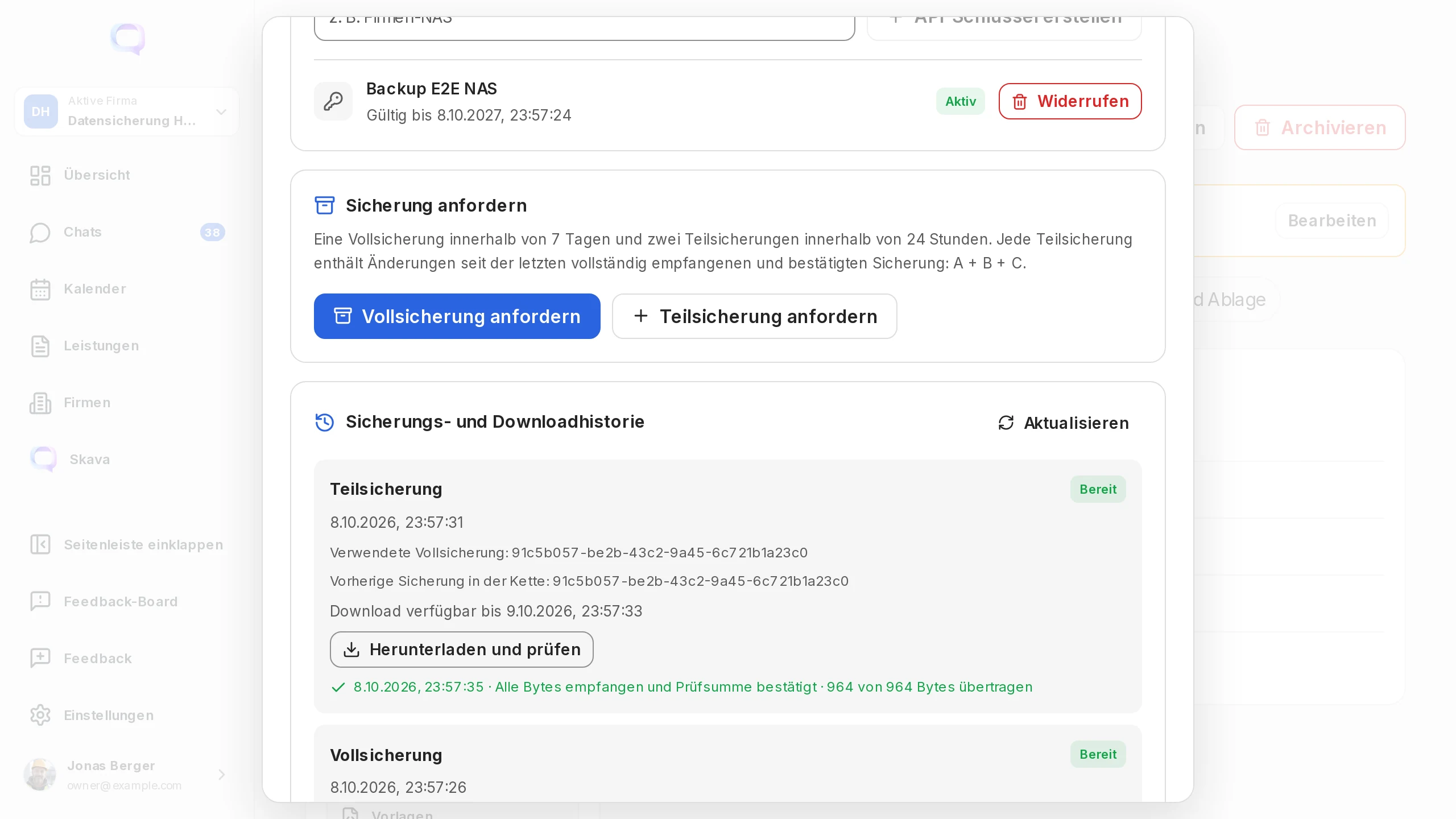
The web app verifies receipt in the browser before the save dialog. That confirmation does not prove the file was subsequently stored permanently on your computer. For automated backups, the Python client writes the file to disk before confirming receipt. Web app downloads are limited to 64 MiB; use the Python client for larger archives.