
Writing invoices as a tradesperson — by voice, not after work.
No more "I'll do that on the weekend". You speak on the construction site about what was done — Skava recognizes service items, quantities and materials and generates a finished invoice with your logo. Directly from chat, in seconds.
Prefer using a computer? Open web app — same data, same account.
What Skava solves for writing invoices.
Not the next bloated tool. What's missing between construction site and accounting.
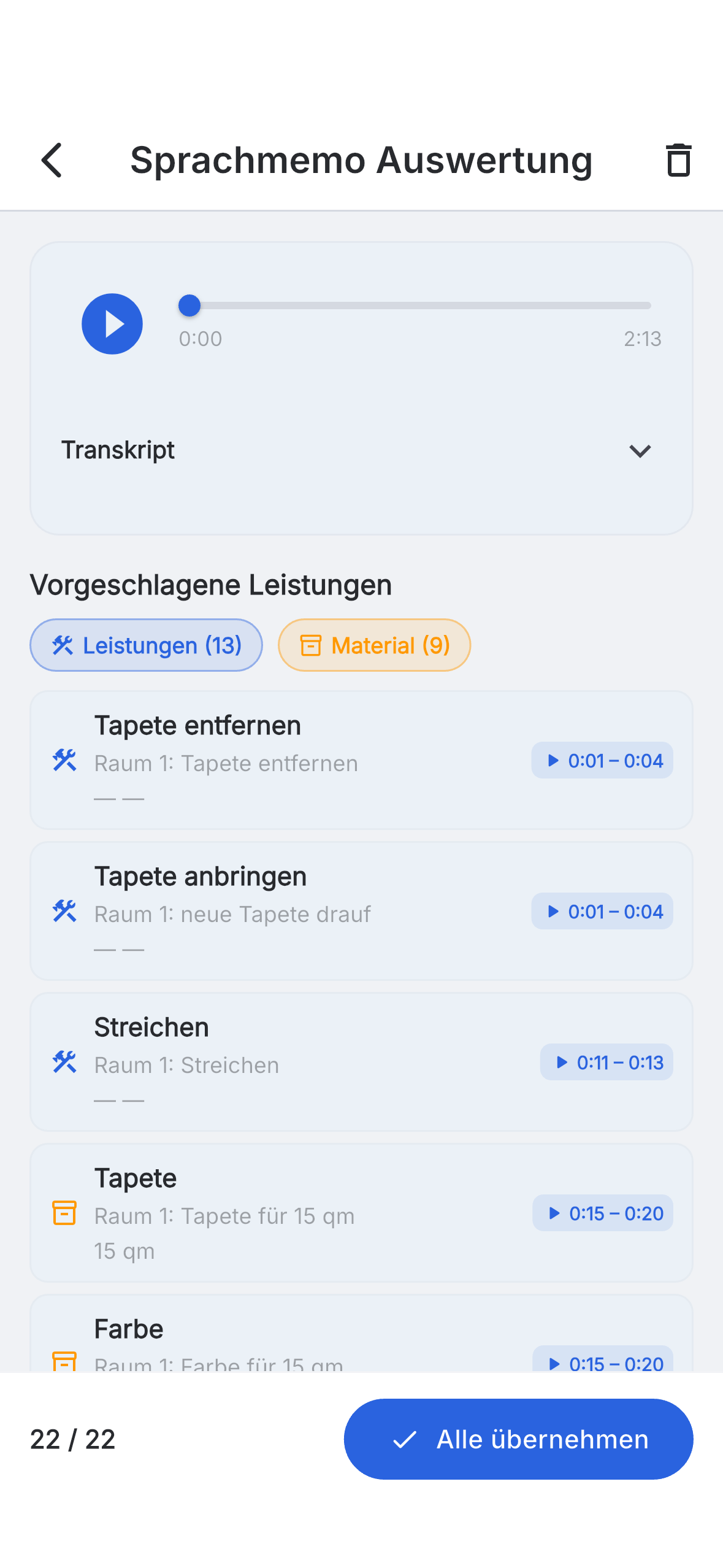
Record service items instead of collecting receipts.
You speak, Skava transcribes — it recognizes service item, quantity and material and puts everything in the right project. The basis of your invoice is created right on site.
- Recognizes quantities, units and materials automatically.
- Works for all trades and even offline.
- Automatically lands in the correct project.
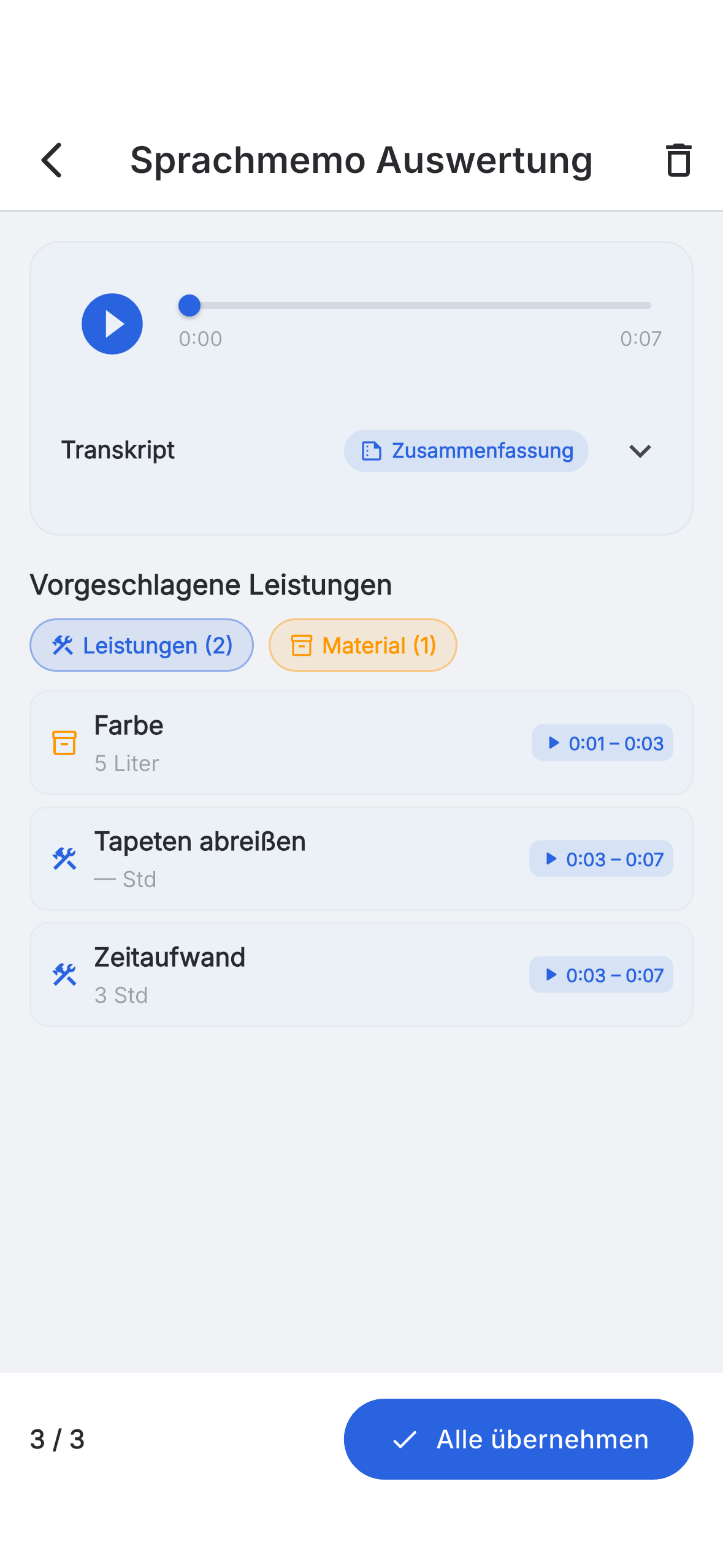
Review line items, don't retype them.
Skava suggests finished invoice line items — you review and correct, instead of typing everything by hand.
- Suggested line items with quantity, unit and price.
- Accept or reject individual service items.
- Labor and materials recorded separately.
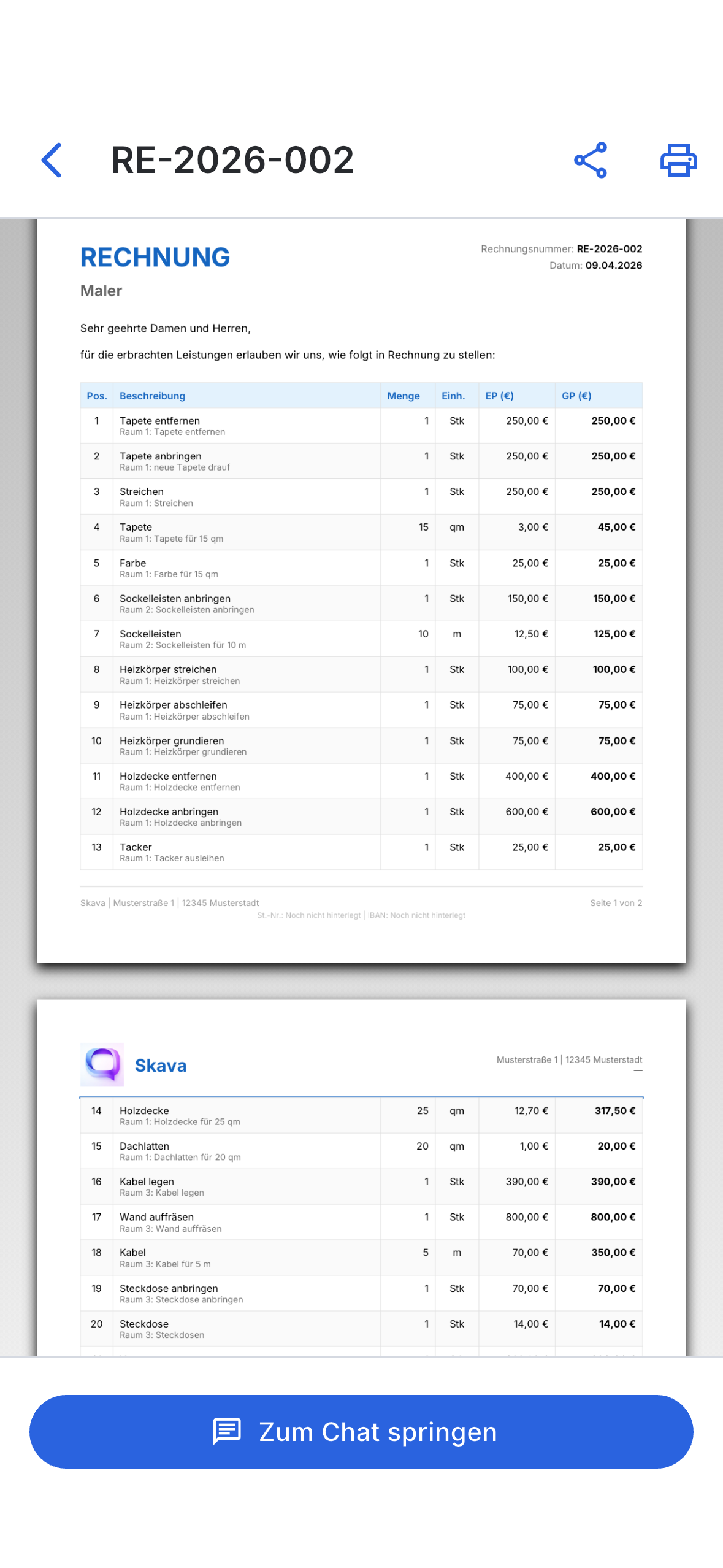
Invoice in seconds — with your logo.
From the reviewed line items, a finished invoice is created with one click. With logo, company details and correct VAT — as PDF or directly to accounting.
- Your company logo, details, VAT logic.
- Export as PDF or to accounting (DATEV).
- Also quotes and order confirmations.
"Sunday evening two hours of paperwork — that was the thing I hated most. With Skava that's just gone."
— Site manager, from beta
Frequently asked questions — writing invoices.
How can I write invoices faster as a tradesperson?
With Skava you record your service items directly on the construction site. The app recognizes labor and materials and generates a finished invoice with your logo — you don't need to type anything.
Do I need separate invoicing software for this?
No. Chat, service items, tasks and invoices are in one app. Optionally you export to accounting (e.g., DATEV).
How much does the app cost for writing invoices?
Download and getting started are free, no credit card needed. Paid plans are available for more storage and team features.
Download the app. Write your first invoice by voice.
Free access. No credit card. No sales calls.
More: Electricians · Painters · Plumbing & HVAC · Roofers · Landscaping